Notes view
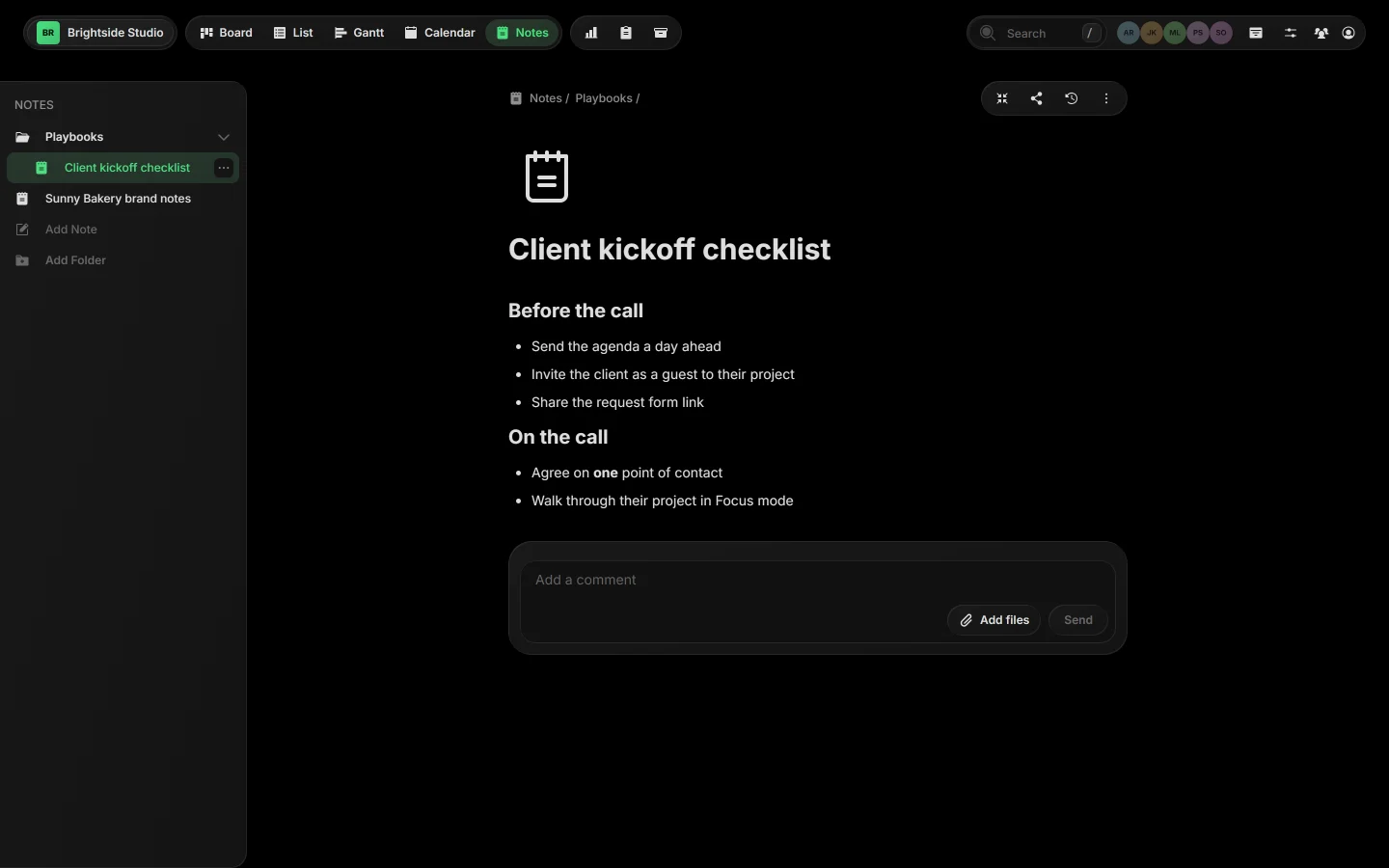
Notes view is where a board's notes live: meeting notes, playbooks and how-tos, with folders on the left and the open note on the right.
01Open Notes#
Click Notes in the view bar, or press Ctrl O. Each board has its own notes.
02The notes list#
The panel on the left lists folders and notes, with notes nested under their parent. Add Note and Add Folder sit at the bottom. On a phone, the list opens as a drawer from the button at the left of the toolbar.
03The note's toolbar#
At the top right of an open note: Focus, Share, History and More. See Focus mode for notes, Share a note and Note updates history.
New to notes? Start with Create a note.
Related guides
Was this page helpful?