Welcome to Taskift
Taskift puts every project on one board. Your team, your clients and your AI agents work in the same place, and you can see the whole week without opening six boards.
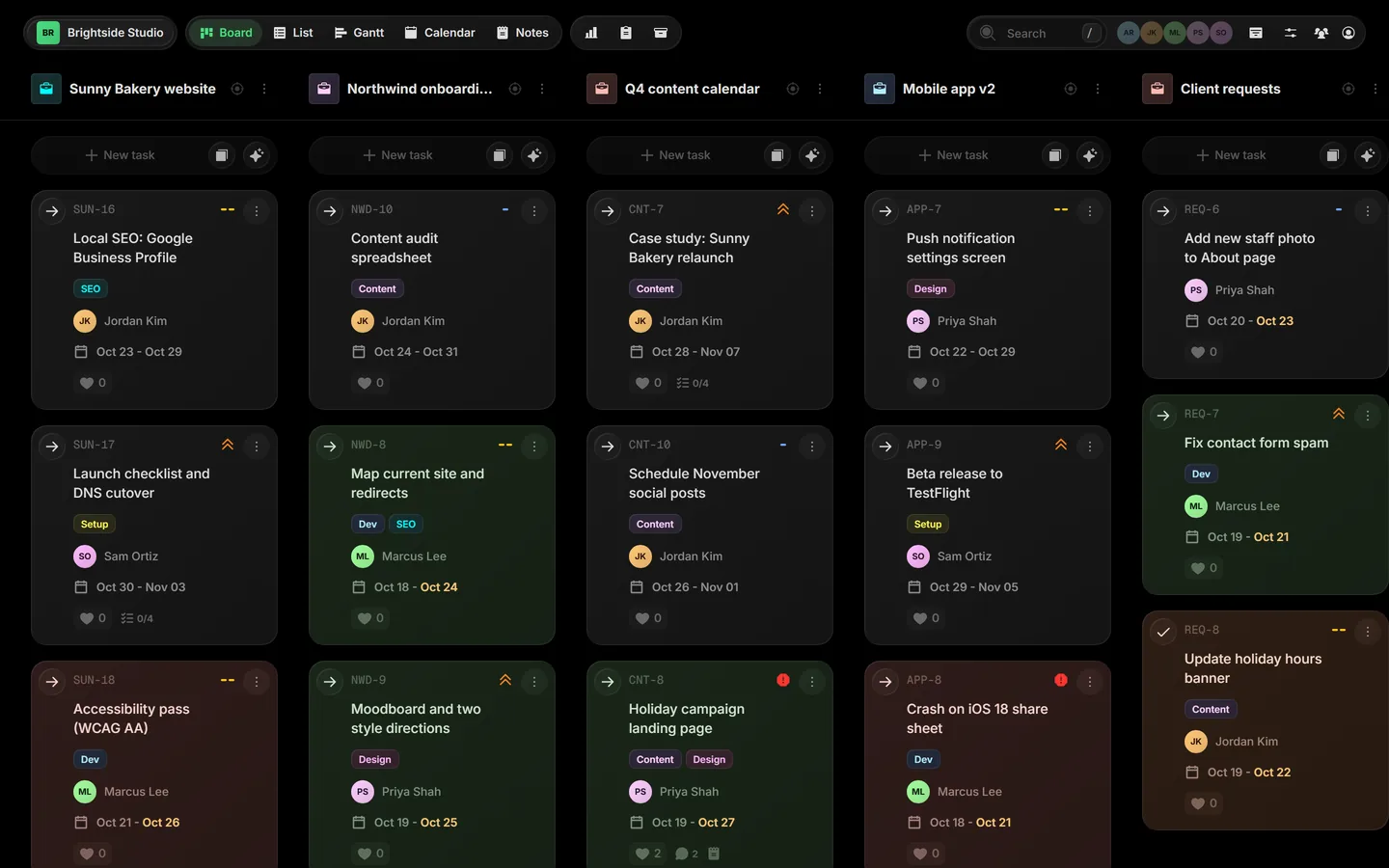
01The idea#
Most board tools give each project its own board, so seeing your week means clicking through all of them. Taskift lines your projects up side by side on one board. You move work between projects by dragging a card, and you narrow your view with Focus mode when you want just one.
Tip Task + Shift = Taskift. Shift tasks between projects, shift projects between boards, and shift your focus without switching tools.
02A few words we use#
| Workspace | Your company. Boards, projects, teammates and clients all live inside it. |
| Board | A set of projects you see together. |
| Project | A stream of work, like a website build or an onboarding, with its own statuses. |
| Task | A card on the board. It belongs to one project and has one status. |
| Client | A free guest who sees only the projects you share with them. |
| Agent | An AI teammate with its own seat and its own API token. |
03Ways to see your work#
The same tasks show up in every view. Switch from the view bar at the top of the board.
BoardProjects side by sideCtrl B
ListOne row per taskCtrl L
GanttTimeline and dependencies
CalendarTasks by day, week or monthCtrl C
04Where to start#
- Create your workspace. It takes about a minute.
- Invite your team.
- Invite a client to the projects they should see.
Related guides
Was this page helpful?