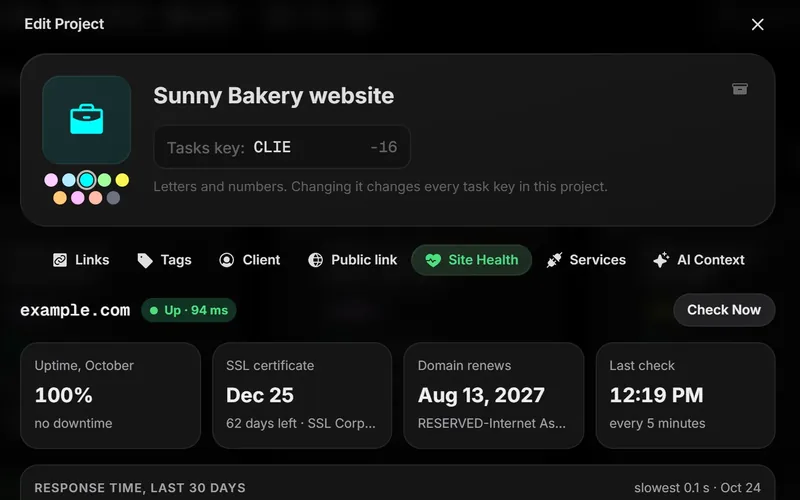
Every agency has had the call. The client's site has been down since last night, or the SSL certificate expired and the browser is warning visitors away. Nobody on the team knew, because nobody was watching. Site Health watches for you and puts the problem on the board where your team already works.
1. Link a project to the client's site
Open the project's menu, pick Edit Project and go to the Site Health tab. Type the client's domain, like sunnybakery.com, and click Start Watching. The first check runs right away.
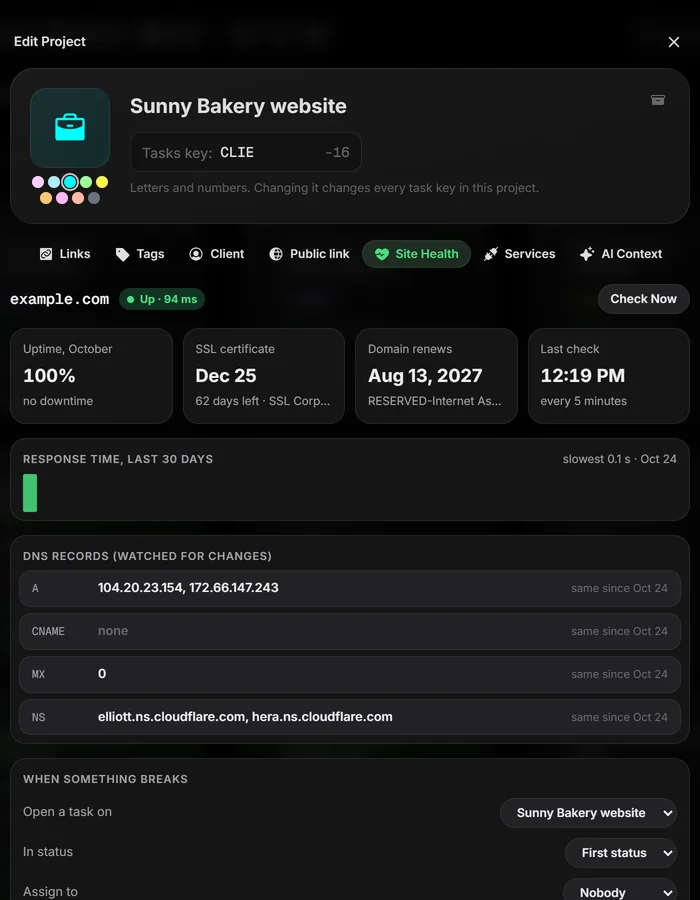
2. What gets checked
| Check | How often | You're warned when |
|---|---|---|
| Uptime | Every 5 minutes | Two checks in a row fail |
| SSL certificate | Twice a day | Less than 14 days are left |
| Domain renewal | Twice a day | Less than 30 days are left |
| DNS records | Every hour | A, CNAME, MX or NS records change |
One failed check isn't treated as down. A blip shouldn't wake anyone up, so Taskift waits for a second failure before it calls it.
3. Problems become tasks
When something breaks, Site Health opens one task in that client's project, on the same board as the rest of the work. Assign it, comment on it, fix it. When the check passes again, the task closes itself, so the board never fills up with stale alerts.
4. Let the client see it
Turn on Site status for the client portal and your client sees the site's status on their own page. It answers the "is the site OK?" email before anyone sends it.
5. One site free, 25 with the add-on
Every workspace watches one site for free. The Site Health add-on watches up to 25 for $9 a month, or $108 a year on an annual plan. Trials watch up to 25 without it.