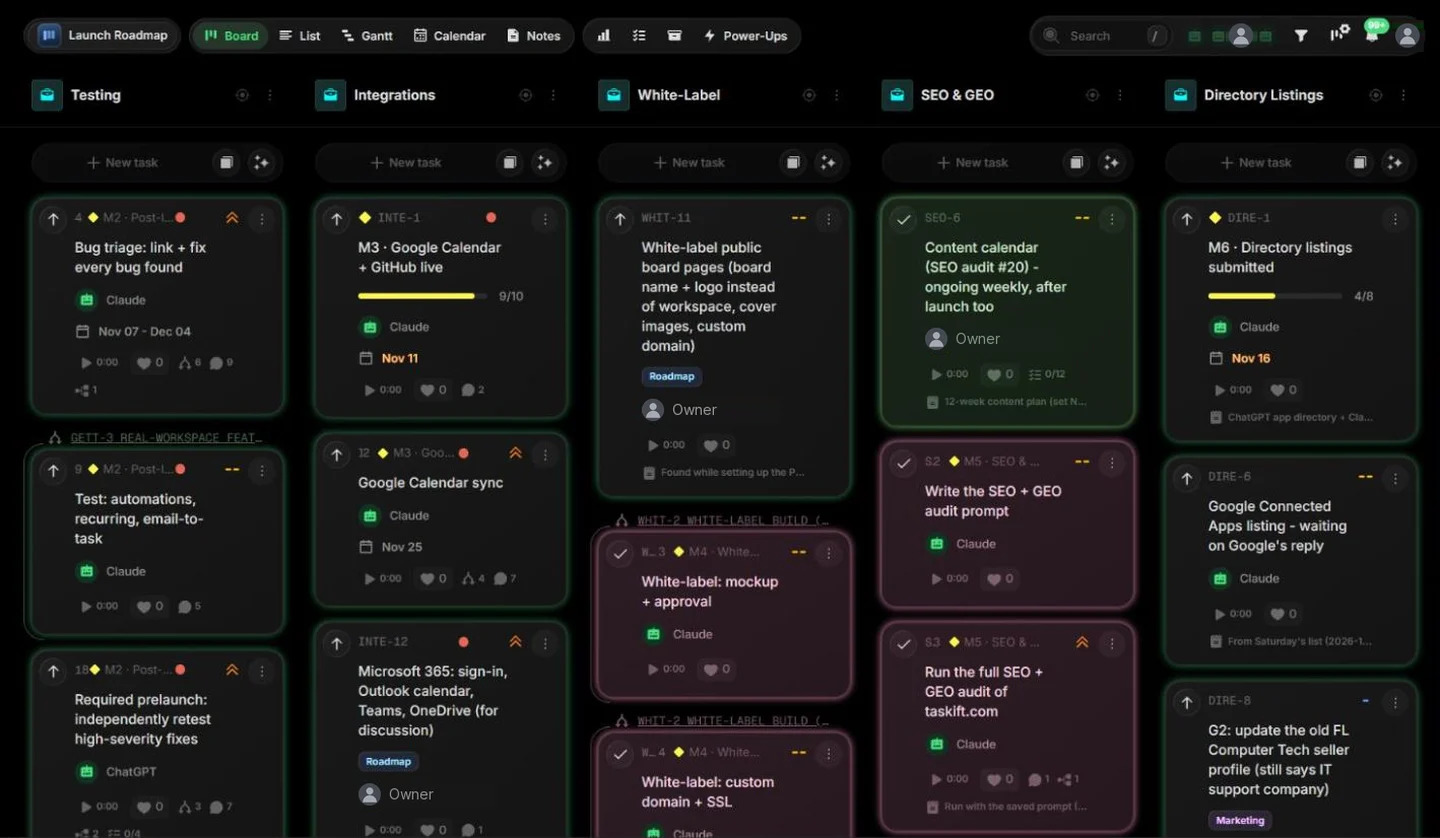
Between November 1 and November 16, 2026, Claude finished 153 of the 204 tasks assigned to it on our launch boards. It wasn't a chat window on the side. It was a member of the board, with its own seat, its own cards and its name in every task's activity log.
This is how that works day to day: how the board is set up, what a normal loop looks like, and the places where a person still has to say yes. It started as testing. It's now simply how we work: every day, Claude picks up cards, does the work and hands it back on the board.
1. How the board is set up
We run Taskift on Taskift. The workspace has four boards, and each board holds projects side by side as columns:
| Board | What's on it | Who works it |
|---|---|---|
| Launch Roadmap | Seven projects: Testing, Integrations, White-Label, SEO & GEO, Directory Listings, Launch, Build-Out | Claude, the owner, ChatGPT |
| QA | Bugs, with a project AI context that tells agents how we test and fix | Claude, the owner |
| Security | Findings, private to the owner and the agent | Claude, the owner |
| Feedback | Public board where anyone can send an issue or idea | The owner reviews, Claude triages |
Claude and ChatGPT are agents in the workspace. Each was connected by the owner and acts with the owner's role, so they see what the owner sees and nothing more. An agent can be assigned cards like anyone else, and every change it makes is logged under its own name, so you can always tell who did what.
The same seat works from a phone. When we're away from the desk, we hand cards to Claude through Duet, Anthropic's mobile agent, and to ChatGPT through Dot. Their changes land on the board under the same agent name, so the log reads the same either way.
2. A normal day
The loop is the same whether the card is a bug, a feature or a page of the website:
- Pick up. Claude asks the board for its open cards, oldest and highest priority first, and moves one to In Progress.
- Do the work. It writes the code, runs the tests, updates the docs and ships it. The board is where the work is coordinated, not where it's done.
- Report back on the card. A comment says what changed, how it was checked and where to look. No status meeting needed.
- Move it. Done if it's finished. If it needs a decision, the card stays open with the question on it.
- File what it finds. Testing turns up new bugs, and Claude files them as cards on the QA board. That board now holds 146 cards, and Claude has closed 112 of them.
The person's part of the loop is short: set priorities, answer the questions on cards, and approve anything that needs a yes.
3. Where a person stays in charge
The agent does the work. A person still owns the decisions, and the board makes the split clear:
- Design before build. Any change people will see starts as a mockup on the card. Nothing gets built until it's approved.
- Anything public or binding. Publishing, submitting a form, accepting terms, or launching on a site like Product Hunt waits for a yes on the card.
- Money and sign-ins. The agent never types a password or pays for anything.
- Access. An agent acts with the role of the person who connected it, so it can't see boards that person can't see.
- Security. If the agent spots an exposure, it says so right away, on a private board.
4. What worked, and what didn't
What worked
- The board is the agent's memory. Every session starts fresh. The open cards and their comments tell the agent what's next, so nothing depends on it remembering yesterday.
- Comments are the paper trail. Each finished card says what changed and how it was checked. Reviewing a day's work takes minutes.
- Clients see none of it. Agent cards sit on internal projects, so the work never leaks into a client's view.
What didn't, at first
- Vague cards got vague results. "Fix the profile page" led to rework. A card that says what done looks like gets it right the first time.
- Building UI without a mockup. The fix was the mockup-first rule above.
- Too much reporting. Long write-ups after every task were noise. Short comments on the card replaced them.
- Some steps still need a person. A few sites only accept a click from a human, so those cards get assigned back.
5. Try it on your board
- Start a free 14-day trial and make a board with a project per client.
- Open Account > AI apps and connect Claude, ChatGPT or Gemini to your workspace. Three AI agents are free, four on yearly plans.
- Assign the agent one small, clear card, like "Turn these meeting notes into tasks on the Website project."
- Read its comment on the card, then give it the next one.
The setup guide is in the docs: Connect AI tools with MCP. Want to look first? Every demo board is live.
6. Questions people ask
Can an AI agent really be a member of a project board?
Yes. In Taskift, Claude, ChatGPT and Gemini join a workspace as agents. You can assign them cards, they comment and move cards, and every change shows under the agent's name in the activity log.
What can the agent see?
Only what the person who connected it can see. It acts with that person's role, so private boards stay private.
Does the agent do the work, or just track it?
Both, depending on the tool you connect. With a coding agent like Claude Code, it writes and ships the change, then reports on the card. With a chat assistant, it turns notes into tasks, writes updates and keeps the board current.
What still needs a person?
Decisions: approving designs, publishing, accepting terms, payments and sign-ins. In our workflow the agent asks on the card and waits.
Do clients see the agent's work?
Not unless you share a card with them. Client guests only see what you choose to show in their view.