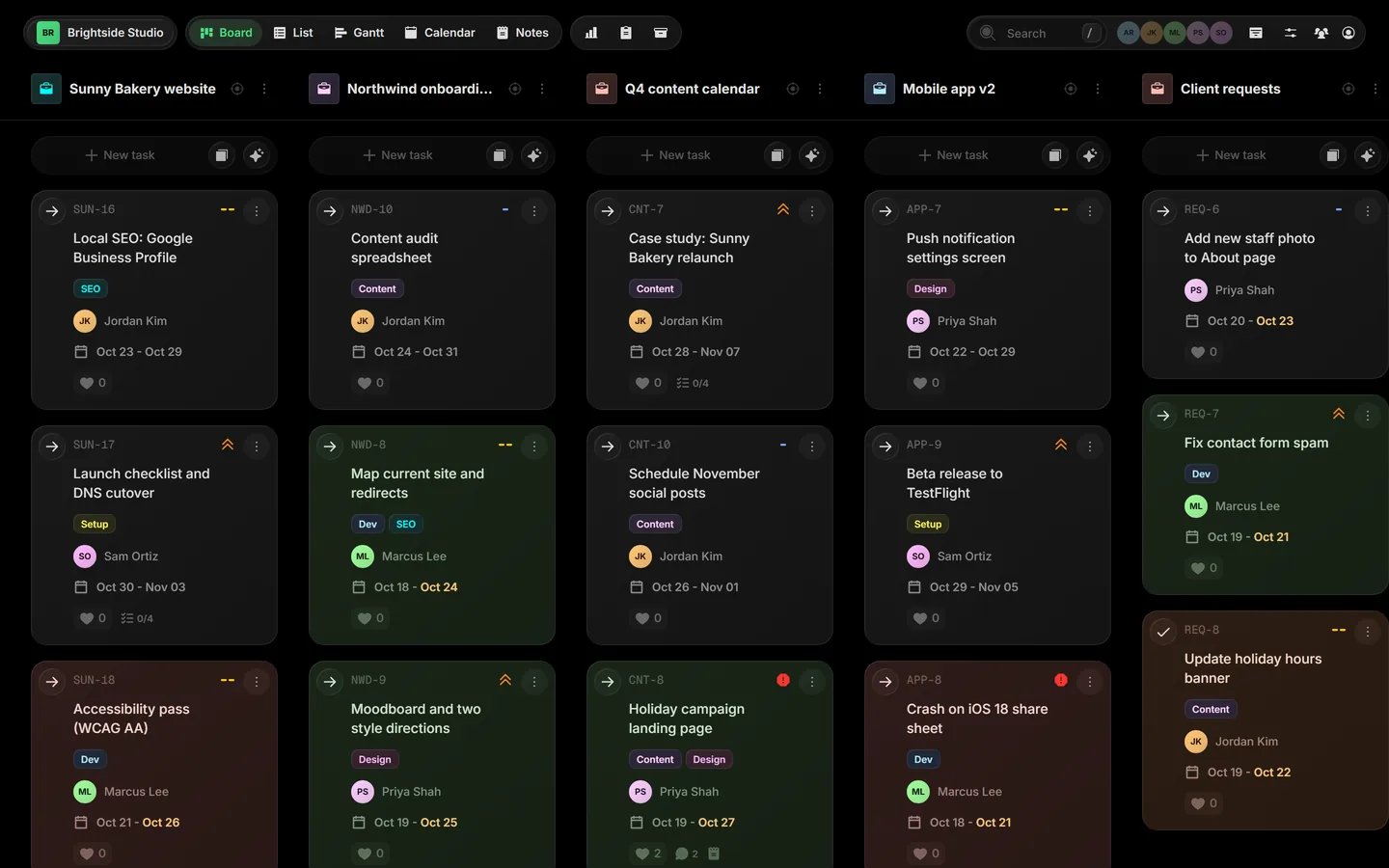
A small agency is never working on one thing. This week it is a website for one client, a brand refresh for another, monthly content for a third and a support queue for everyone. Most project tools want a separate board for each of those. Here is how to run all of them on one.
1. One project per client, one board for all of them
Create a project for each client, or each engagement, and give each one its own color. They all sit side by side on the same board. Monday morning, you open one screen and see the whole week across every client.
When you need to cut the noise, toggle projects off. When you need to go deep on one client, open Focus mode and work that project in its own columns.
2. Statuses that match how agencies actually work
The default To do / Doing / Done is not enough. A setup that works for most small agencies:
- Requested: new work that came in, not yet scoped
- In progress: someone is on it
- Internal review: a second pair of eyes before the client sees it
- Waiting on client: with a task limit, so you can see when too much is stuck with them
- Done
Set these up once in Board Settings › Statuses, and every client project uses the same flow.
3. Clients join free, and see only their own work
Invite each client as a guest and choose which projects they can see. Guests are free, so you never weigh a seat cost against keeping a client in the loop. A client sees their own project and nothing else: not your other clients, not your internal notes.
That replaces most "where are we on this?" emails. The answer is on the board.
4. Requests come in through a form, not your inbox
Give each client a Taskift form for new requests: a change, a bug, a new page. Every submission becomes a task in that client's project, in your Requested column, with the details they filled in. Nothing gets lost in an email thread.
5. Approvals live on the card
When work is ready, move it to Waiting on client and leave a comment that says exactly what you need, with the file attached. The client answers on the card. The question, the file and the decision stay together, with history, so nobody has to dig for "which version did they approve?"
6. Move work, don't copy it
Work changes hands. A task filed under the wrong client, a request that turns into its own project: drag the card to the right project and its comments, files and history come with it.
7. Let an AI agent take the first pass
Add an AI agent as a teammate with its own token. Assign it first drafts, like meta descriptions, a content outline or a round of QA notes, and have it move the card to Internal review when it is done. You review its work on the board, like anyone else's.
Taskift is $5 per user per month billed annually, or $6 monthly, with every view included. Client guests are always free.