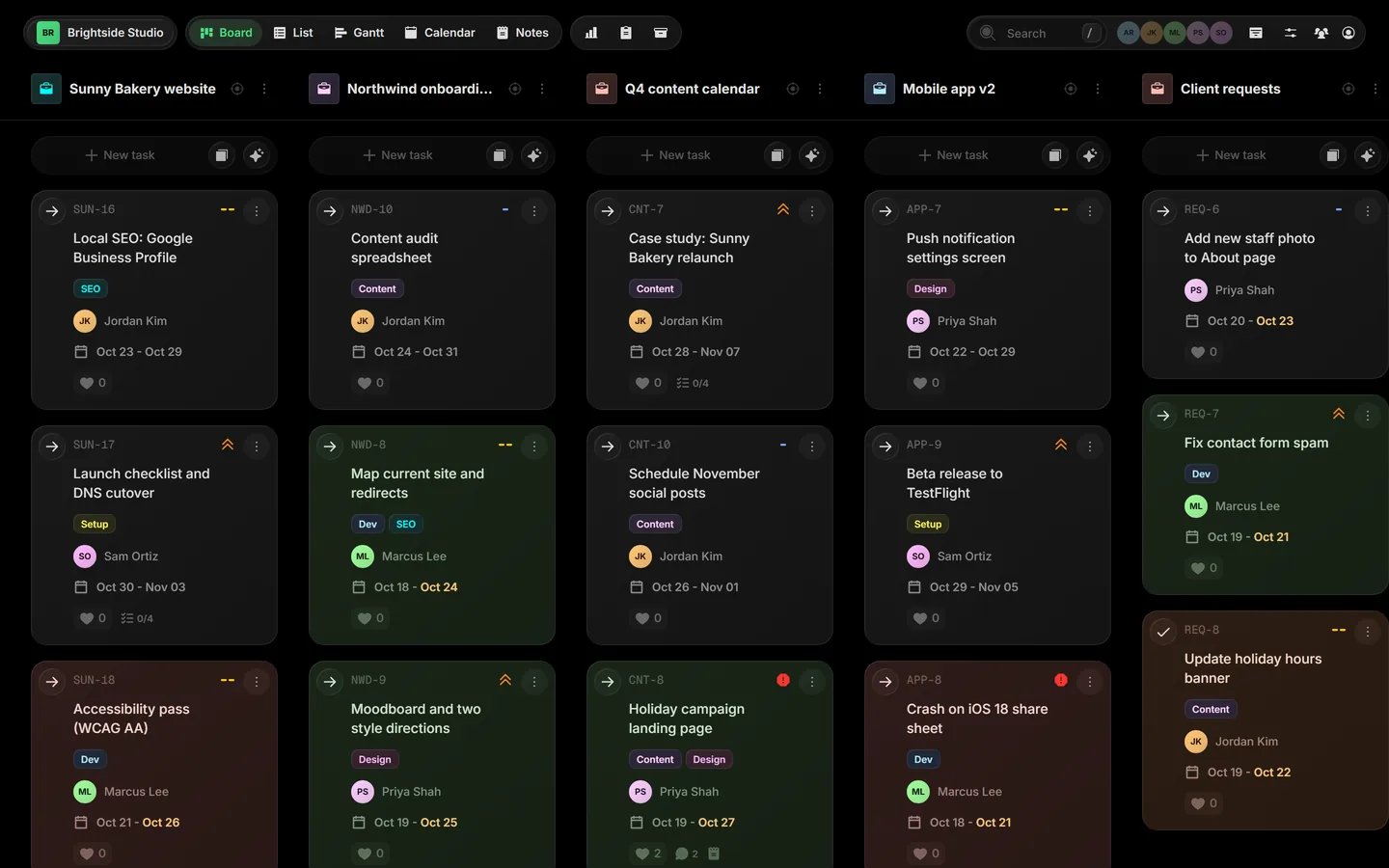
Most project tools give every project its own board. That works until you run six of them at once, for four different clients, with a teammate who is an AI agent. Then you spend the day opening boards instead of moving work. Taskift is our answer.
The problem: one board per project
Small teams rarely work on one thing. An agency has a website build, an onboarding, a content calendar and a support queue running in the same week. In most board tools each of those is a separate board, so the only way to see the week is to click through all of them.
The views that would tie them together, like a timeline or a calendar across boards, usually sit on the most expensive plan.
The idea: shift, don't switch
Taskift puts every project side by side on one board, each with its own color. You can:
- Shift tasks between projects by dragging a card. Comments, files, checklist and history come with it.
- Shift whole projects between boards when work changes hands.
- Shift your focus by toggling projects on and off, or opening Focus mode to work one project with its own columns and limits.
That is where the name comes from. Task + Shift = Taskift.
Clients and agents get a seat
Clients join as free guests and see only the projects you share with them. No more status emails: they can see where their work stands.
AI agents get a seat too. Add an agent on the Team page, give it its own token, and it can read tasks, move cards and comment, right next to your team. Every token can be revoked in one click.
What is in early access
- Board, list, Gantt timeline, calendar, swim lanes and reports
- Custom statuses with task limits, priorities, tags, subtasks, dependencies and milestones
- Public forms that turn submissions into tasks
- Automations, recurring tasks, notes and templates
- Free client guests and AI agent seats
When it opens fully, Taskift is $5 per user per month billed annually, or $6 monthly. Client guests stay free.