
Taskift connector for Claude
“What’s overdue on the Brightside rebrand? Move anything waiting on the client to Review.”
Set up in Claude →
Go yearly before Cyber Monday and your first year runs 14 months. On top of the $5 founder price you keep for as long as you stay.
For small teams doing client work
Built for agencies, studios and freelancers juggling client work. Every client project sits side by side, clients join free on every board, and it stays a team board.


Task+Shift=Taskift
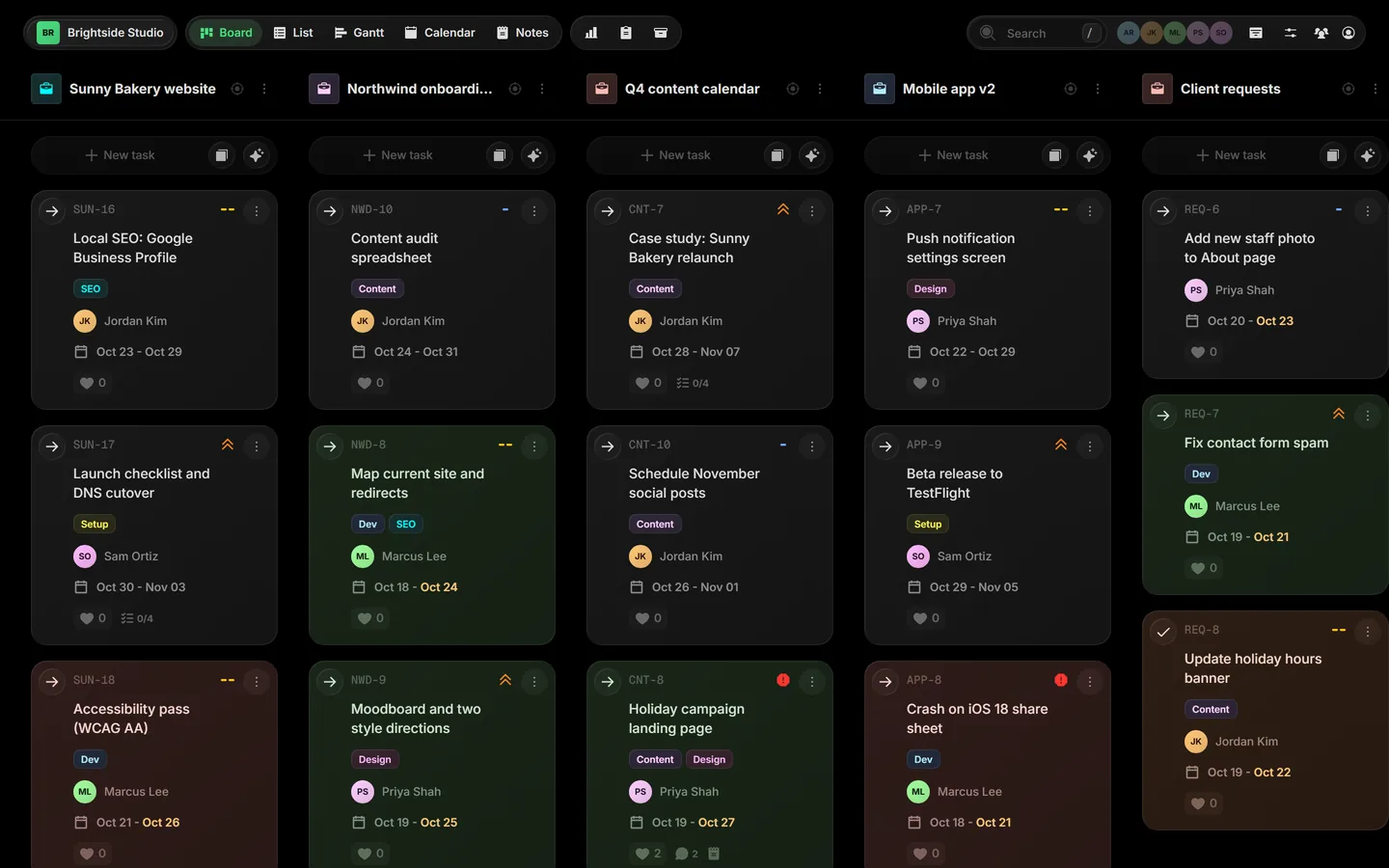
Most boards give every project its own board. Taskift puts all of them side by side, so moving work is a drag, not a trip to another board.
Drag a card from one project to another. Comments, files, checklist and history come with it.
Move a whole project to another board when the work changes hands. Pick the board, map its statuses, tags and properties, and every task goes with it.
Open Focus to work one project at a time, a column per status with its task limit. Archive a project when it's done.
Every view, one board.
Every client in its own color. Drag cards between statuses. See the whole agency at a glance.
One click narrows the board to a single project, with a column per status and its task limits.
Start and due dates become a Gantt chart with dependencies and milestones.
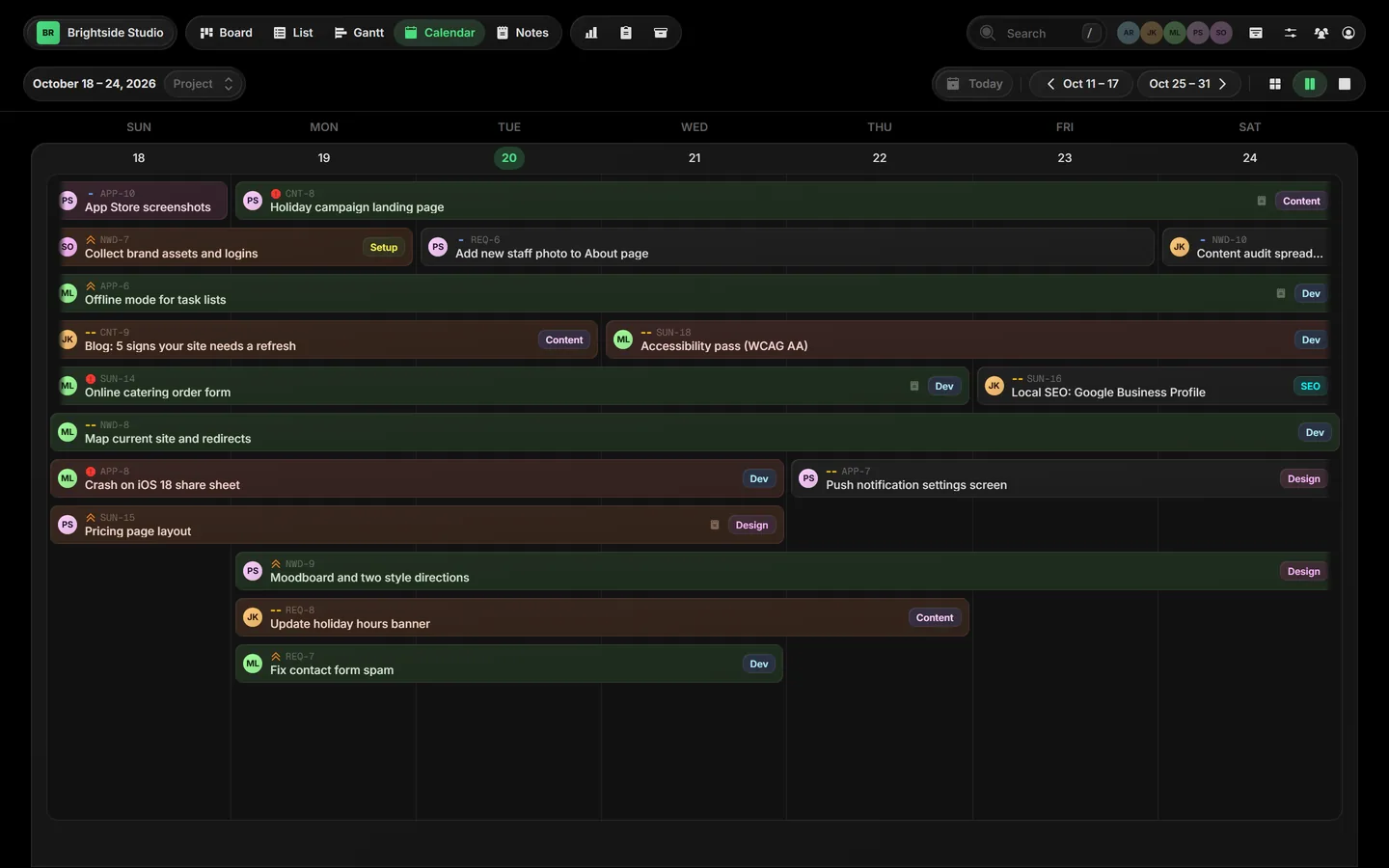
Every dated task on a calendar. Drag to reschedule.
Burndown, status, priority and workload, without building a spreadsheet.




Start from a board built for the way you work, then make it yours.
Eight made-up teams, each running a full week in Taskift: dozens of tasks across six projects, client approvals, timers, AI and every view. Move anything. Nothing is saved.
One board the whole team works from, with a view your clients can follow without another login to pay for.
A request comes in from your website or your inbox. Your agent picks it up, drafts the reply and lines up the follow-ups. You just say yes.
“What’s overdue on the Brightside rebrand? Move anything waiting on the client to Review.”
Set up in Claude →
“Turn these meeting notes into tasks on the Website project, due next Friday.”
Set up in ChatGPT →
“Give me a Monday standup for every active project, one line each.”
Set up in Gemini →Link a project to the client's site. Taskift checks it every 5 minutes, keeps an eye on the SSL certificate, domain renewal and DNS, and puts the problem on your board before your client calls.
Your agency was alerted at 2:14 PM.
Trello keeps each project on its own board and saves the views that tie them together for Premium. Taskift includes them in one plan.
Premiumfor the same viewsTrello plans and prices from trello.com/pricing ↗, checked October 20, 2026. Trello is a trademark of Atlassian. Taskift is not affiliated with Atlassian.
Every plan includes 500 AI credits a month and one Site Health site. Add a Power-Up when a client needs it, turn it off when they don't.
Watches up to 25 client sites every 5 minutes, reads SSL, domain and DNS changes, and opens a task when something breaks.
Your logo, colors and own domain on the client portal, and client emails sent under your name.
Used only after your monthly 500 run out. Never expire while your account is active. Optional Auto Top-Up.
We import your projects and clients, set statuses, tags and an automation, and invite your team within 2 business days.
Task plus shift. Taskift lets you shift tasks between projects, and whole projects between boards, all from one screen.
Yes. Like Trello it is a board of cards, but every project sits side by side on one board, and the Timeline, Calendar, forms and client guests are included instead of reserved for a higher plan. Taskift is $5 per user per month billed annually; Trello Premium is $10.
$5 per user per month billed annually, or $6 billed monthly. Client guests are always free.
Invite a client as a guest and pick the projects they can see. They get their own view of just those projects, and nothing else in your workspace.
Two ways. In Claude, ChatGPT or Gemini, add Taskift as a connector, click Connect and approve it in your browser, with no token to copy. For scripts and other tools, create an agent token on the Team page. Either way the AI works as one of your agents, and everything it does shows in the task's history under its name. How to connect
Yes. Rename, recolor and reorder columns, add your own (like "Waiting on client"), and set a task limit per column.
Yes. Build a form, share its link, and every submission lands on your board as a task.
That is the whole idea. All your projects live on one board, each with its own color. Use Focus mode to work on one at a time, and archive projects when they're done.
Yes. Every project has its own email address. Send or forward an email to it and it becomes a task: the subject is the title, the body is the description, and images and PDFs are attached. Each task has an address too, so replies land as comments. You choose who can send. How email to task works
Yes. Turn on a share link and anyone with it can follow a project, or the whole board, view-only in Board, List, Gantt or Calendar view. Comments, files, people and time stay private. You can also share a single task, and let visitors suggest tasks that wait for your approval. Sharing settings
Yes, along with a calendar, swim lanes, task dependencies and milestones.
Yes. Automations can create recurring tasks and move cards when something changes.
Every board has notes for meeting minutes, specs and anything that is not a task.
Yes. Taskift runs in the browser and is built to work on phone screens too.
With Google, GitHub, or a sign-in link sent to your email. No password to forget.
Yes, on every plan. Your due dates show up in Google Calendar, Outlook or Apple Calendar through a private feed. Put a task key in a branch, commit or pull request title and the work shows on that task, which can move itself when the pull request merges. Calendar guide · GitHub guide
Yes. Add your own properties: text, date, select, number, email, URL, checkbox, toggle, person and money. Show them on cards, filter by them, total numbers per column, and choose which ones clients see. Custom properties
Yes. Open AI Tasks in a project and describe the work in a sentence or a list, with dates, priorities and who does what. Taskift drafts the tasks, you edit them, and nothing reaches the board until you add them. AI tasks
Taskift Blog
Every project on one board, free client guests and AI agents as teammates. Why we built Taskift, what the name means, and what is in early access.
Read the post →
Power-Ups are add-ons you switch on per workspace. First up: the Board Style pack, with board backgrounds, card aging and confetti on Done, for $2 a month.

Put your logo, colors and domain on the client portal, and send every client email under your agency name. Set up takes one DNS record.

Connect Google Gemini to your Taskift board in four steps. Ask it what's overdue, turn notes into tasks and move work along, with every change shown under its name.

Per-user pricing, free clients and AI agents, seats that follow your team, add-ons at checkout, and a cancel you can undo. Here's how billing works in Taskift.
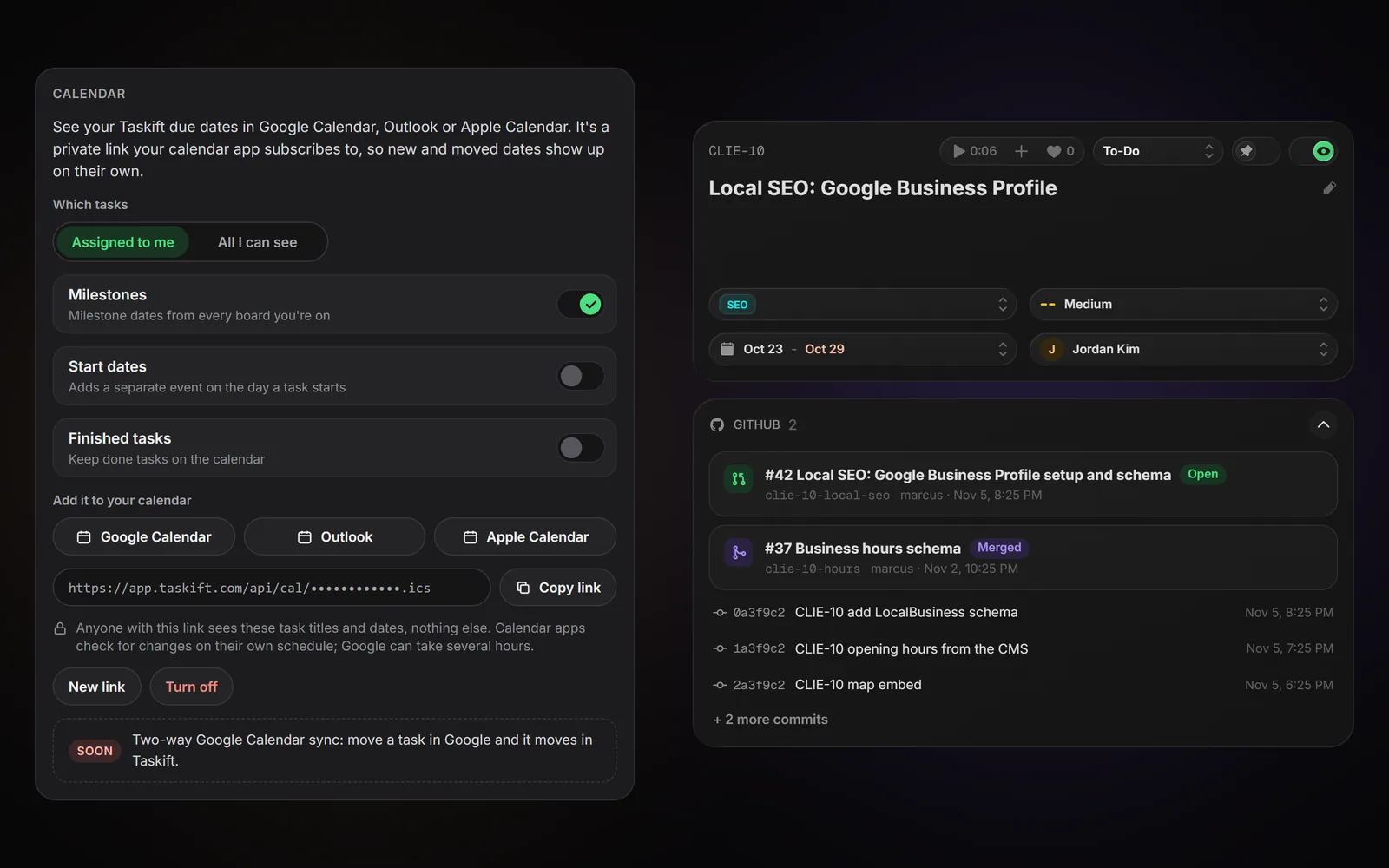 Google Calendar and GitHub, in every planYour due dates in Google Calendar, Outlook or Apple Calendar, and your pull requests and commits on your tasks.Nov 4, 2026Launch
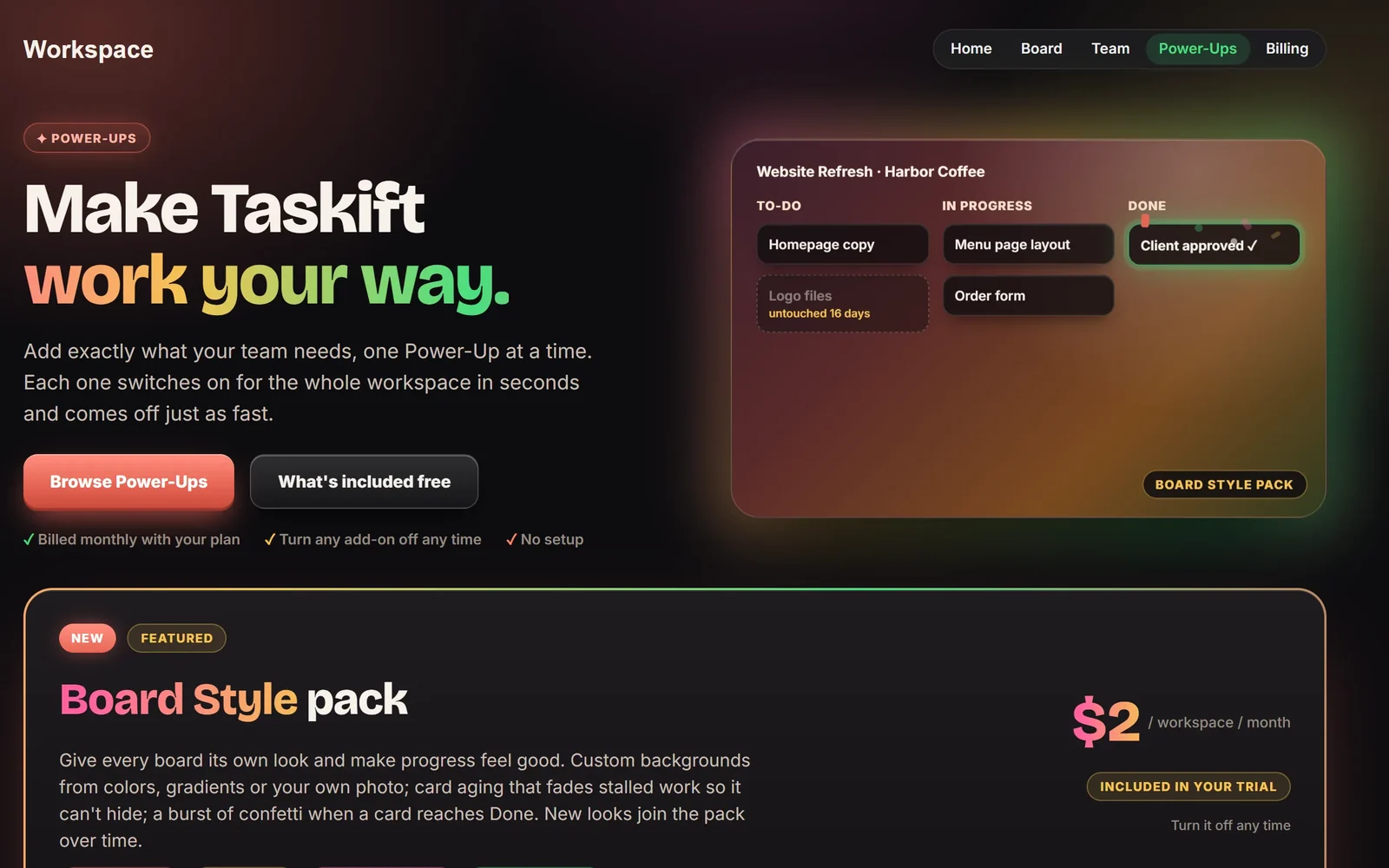 Power-Ups and the Board Style packPower-Ups are workspace add-ons you switch on and off. First up: the Board Style pack, with backgrounds, card aging and confetti, for $2 a month.Nov 3, 2026White-Label Portal: your brand on the client portalYour logo, colors and domain on the client portal, and client emails sent under your name.
Early access is open. Bring your projects in now and help shape what ships next.
Get Early Access